C2PA · Content Credentials
A signed record of how the file was made
ChatGPT, Adobe Firefly, Lightroom and Pixel cameras write it. Instagram, TikTok, YouTube and LinkedIn read it.
AI metadata remover · free · in your browser
See what's hidden inside your file, then strip it. Pixels untouched. Nothing uploaded.
Drop photos, videos or PDFs
or paste with ⌘V · up to 50 files at once
Processed in your browser. Files never leave your device.
01
Most files carry a hidden record of where they came from. These are the parts that platforms — and anyone you send the file to — can read.
C2PA · Content Credentials
ChatGPT, Adobe Firefly, Lightroom and Pixel cameras write it. Instagram, TikTok, YouTube and LinkedIn read it.
XMP · IPTC
Fields like DigitalSourceType tell a platform the image was generated or edited with AI.
PNG text · EXIF comment
Stable Diffusion, ComfyUI and Midjourney save the prompt, model and settings inside the image.
EXIF · GPS
GPS coordinates, camera serial numbers and timestamps travel with the photo unless you remove them.
More and more editing tools use AI for a single step: Generative Fill in Photoshop, Magic Editor in Google Photos, object removal on Galaxy phones. When they do, the app writes an “edited with AI” record into the file — a C2PA action, or an IPTC DigitalSourceType such as compositeWithTrainedAlgorithmicMedia. Meta reads these industry markers and adds an “AI info” label on Instagram, Facebook and Threads, even if almost every pixel came from your camera (Meta, Feb 2024). YouTube and TikTok read C2PA too.
Removing the record removes the reason for that label. It doesn’t remove a platform’s own detection or a watermark in the pixels — and if an image really is AI-generated, the platforms ask you to say so.
02
Photos, videos or PDFs — one file or fifty. Nothing is uploaded.
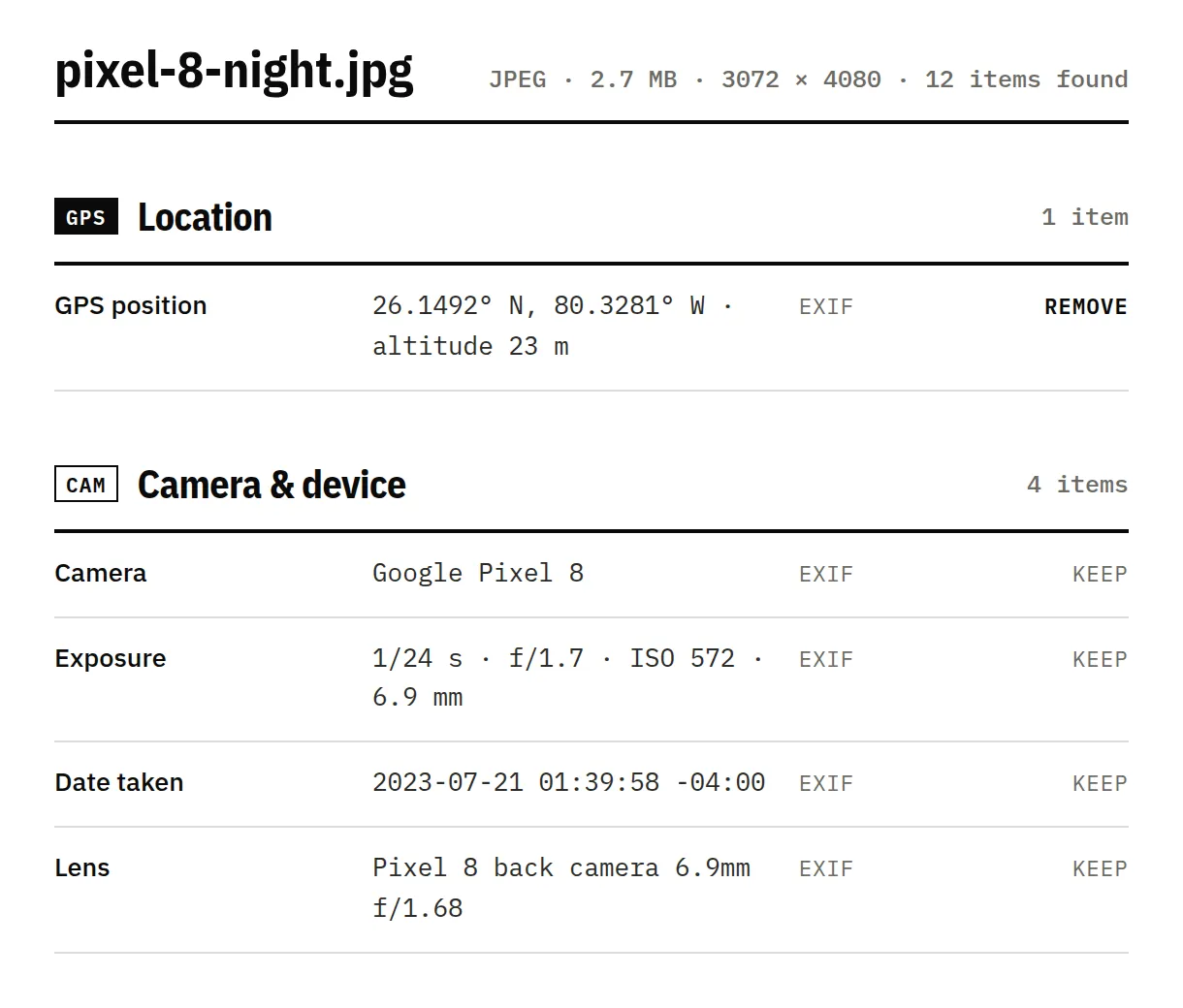
See every field, which ones are AI-related, and why a platform might label the file.
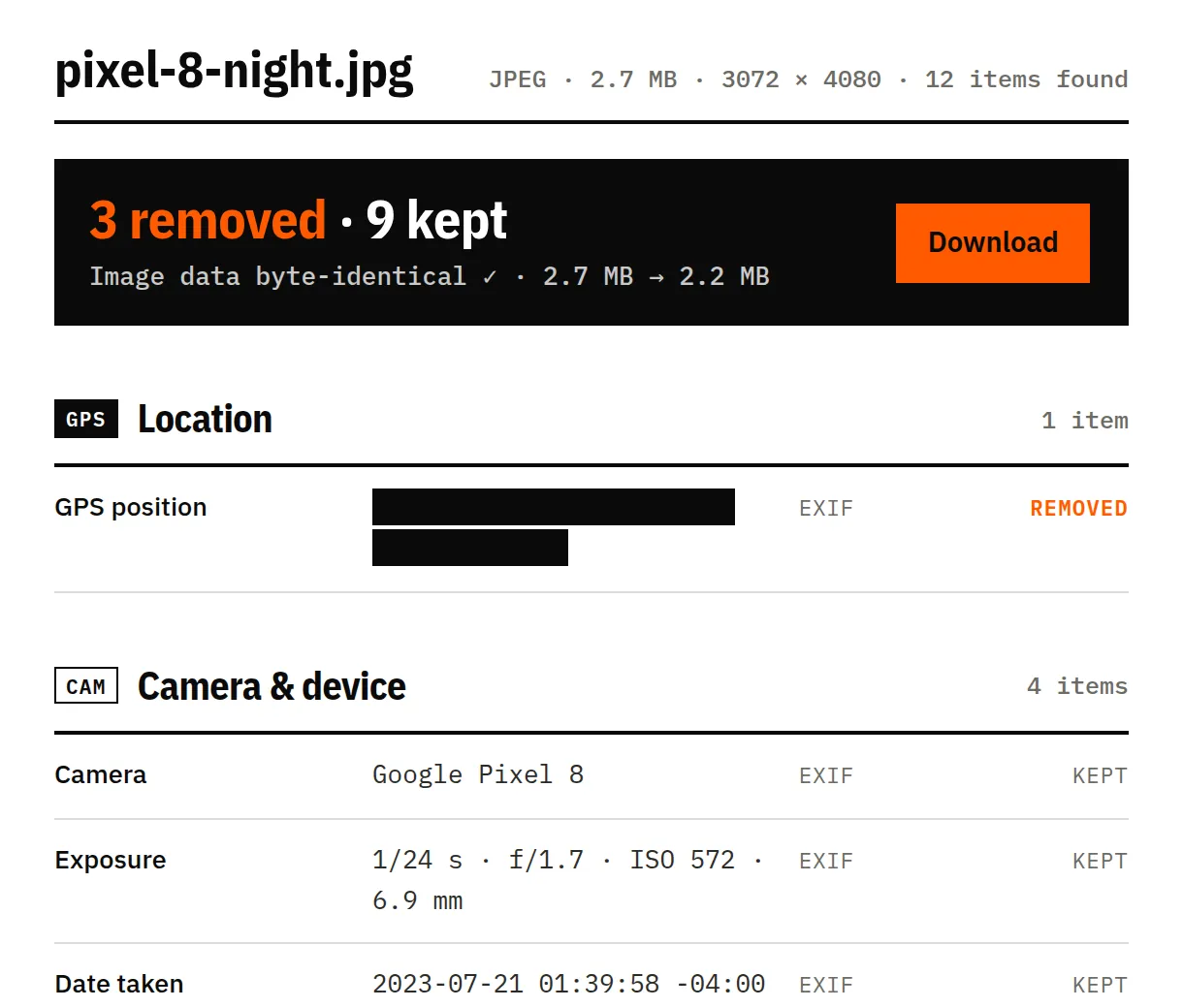
We re-check the result and confirm the image or video data is byte-identical.
03
An image saved from Photoshop after a Generative Fill edit. Its Content Credentials say Adobe Firefly edited it — the kind of record that makes Instagram show “AI info”.
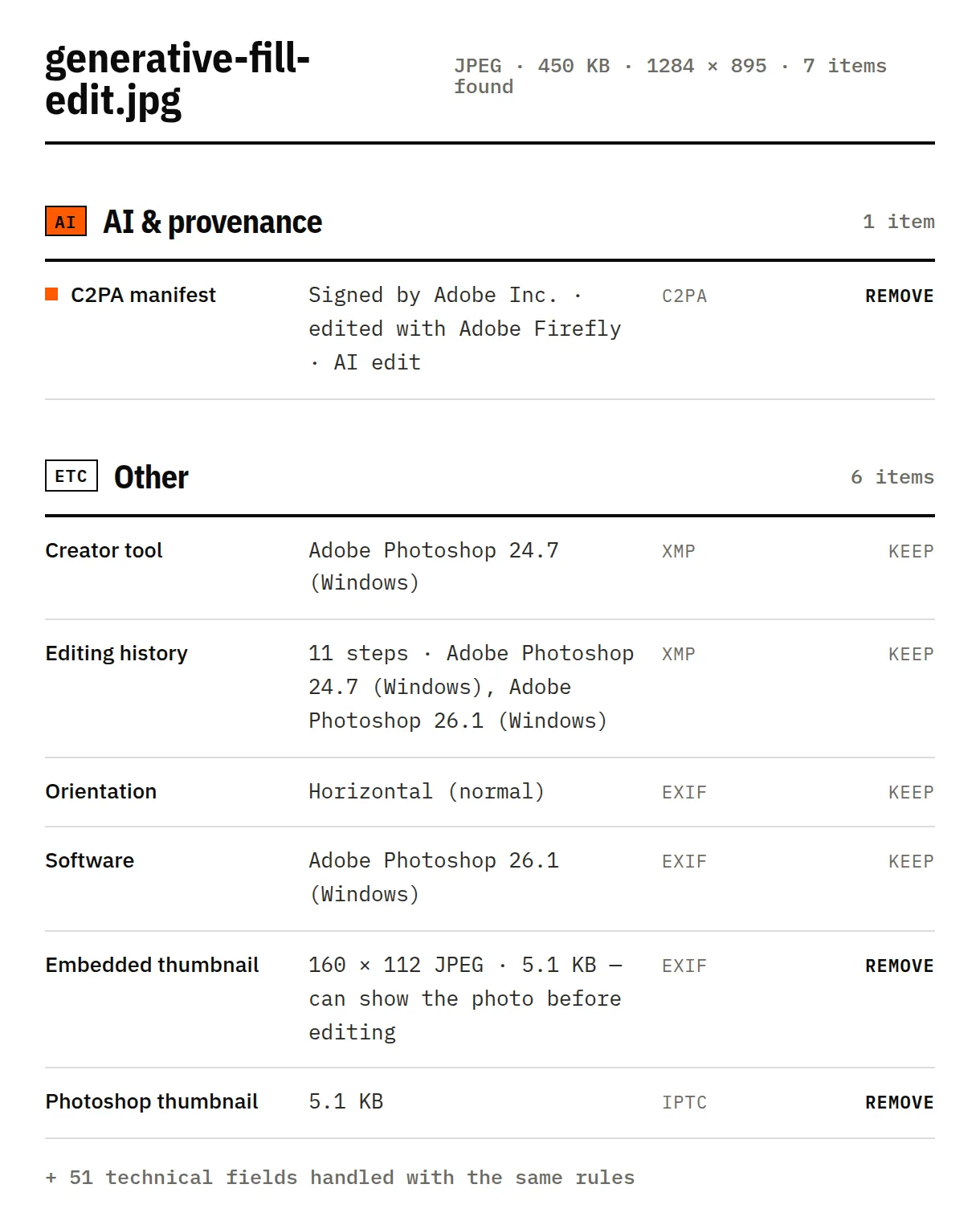
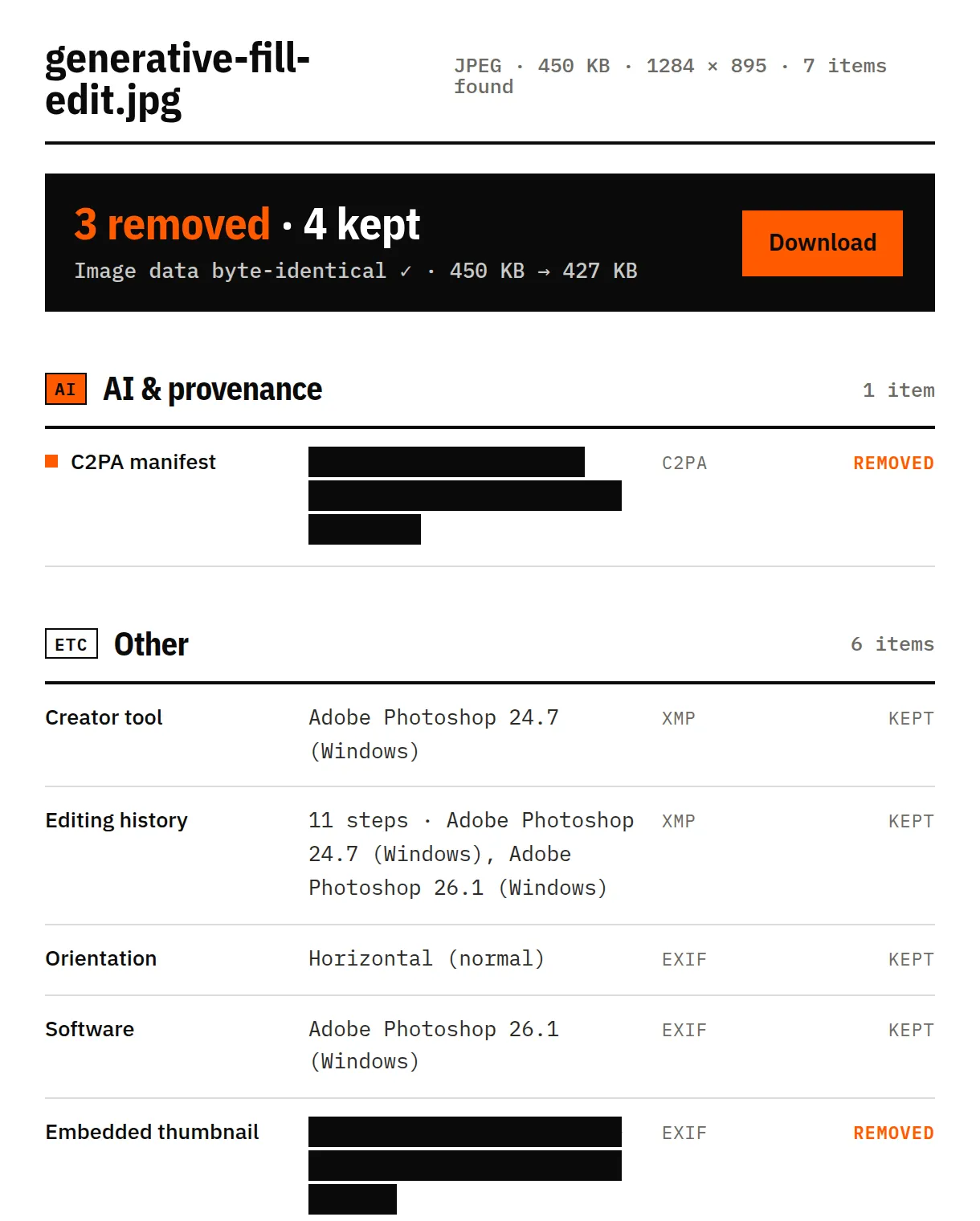
Sample: “Ranis, the LRJ and other MPUP transitional technocomplexes … (Derivat)” from Wikimedia Commons, CC BY 4.0 — Mylopotamitaki, Weiss, Fewlass et al., Nature 2024, edited in Photoshop. Screenshots of this tool, unretouched.
We clean what's written in the file. Some signals live somewhere else — and we'd rather tell you than oversell.
They're part of the picture. Removing them means editing pixels, which we never do.
Some AI tools hide a signal inside the pixels themselves. It survives metadata removal.
Instagram, TikTok and YouTube can also use their own models, so a clean file isn't a guarantee.
If an image is AI-generated, Instagram, TikTok and YouTube ask you to label it. Cleaning metadata doesn't change that.
Information stored inside a file that says an AI tool created or edited it — for example a C2PA content credential, an IPTC DigitalSourceType tag, or a prompt saved in a PNG.
Often, when the label came from the file’s metadata — which is common with real photos edited in Lightroom or Photoshop. Platforms can also use invisible watermarks and their own detection, so it isn’t guaranteed.
No. We never re-encode. After cleaning we compare the image data byte for byte and show you the result.
No. Everything happens in your browser.
An industry standard for recording how a file was made and edited, signed by the tool that made it.
No. Those live in the pixels, and we don’t touch pixels.
Last reviewed 17 November 2026, with real files from phones, cameras and AI tools · How we test